
Your servers, in your pocket.
Mobile SSH client with AI coding agents built in — Claude Code, Codex, OpenClaw, Hermes — on any server. For iPhone.

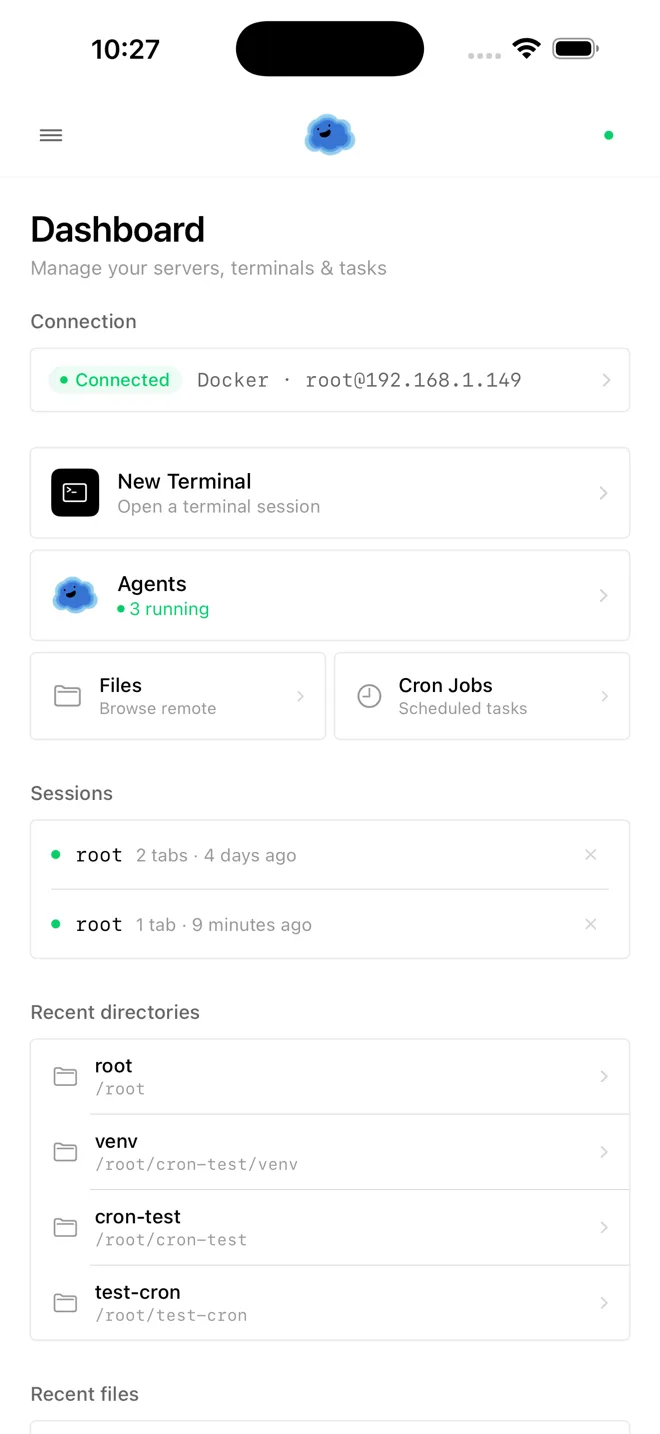
Meet the agents
A whole family of agents. Pick one. Onepilot deploys it.
Framework agents install on any host you can SSH into — your Mac mini, a Raspberry Pi, a NAS, a $5/month VPS. Same wizard, same iPhone supervisor.



Featured on
Servers
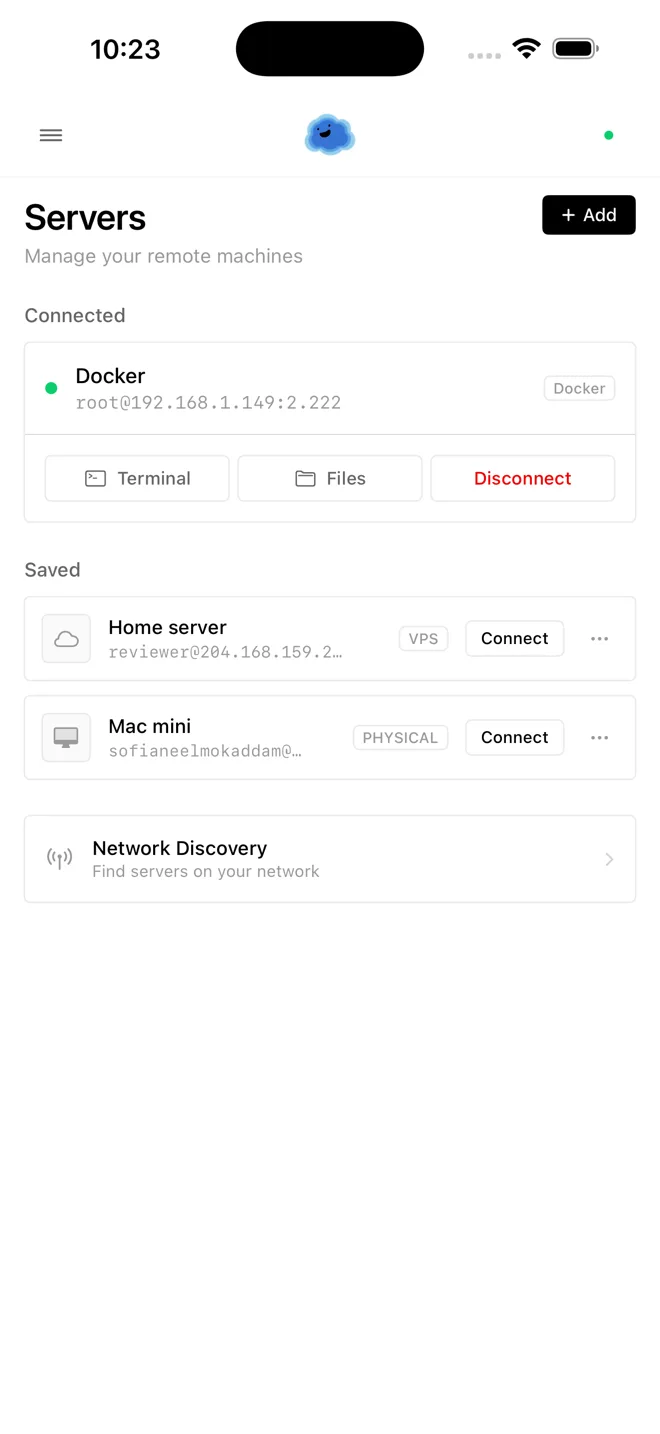
Connect once. Reach anything.
Add your VPS, home lab, Docker host, or jump box. One tap to open a real SSH session.
Terminal
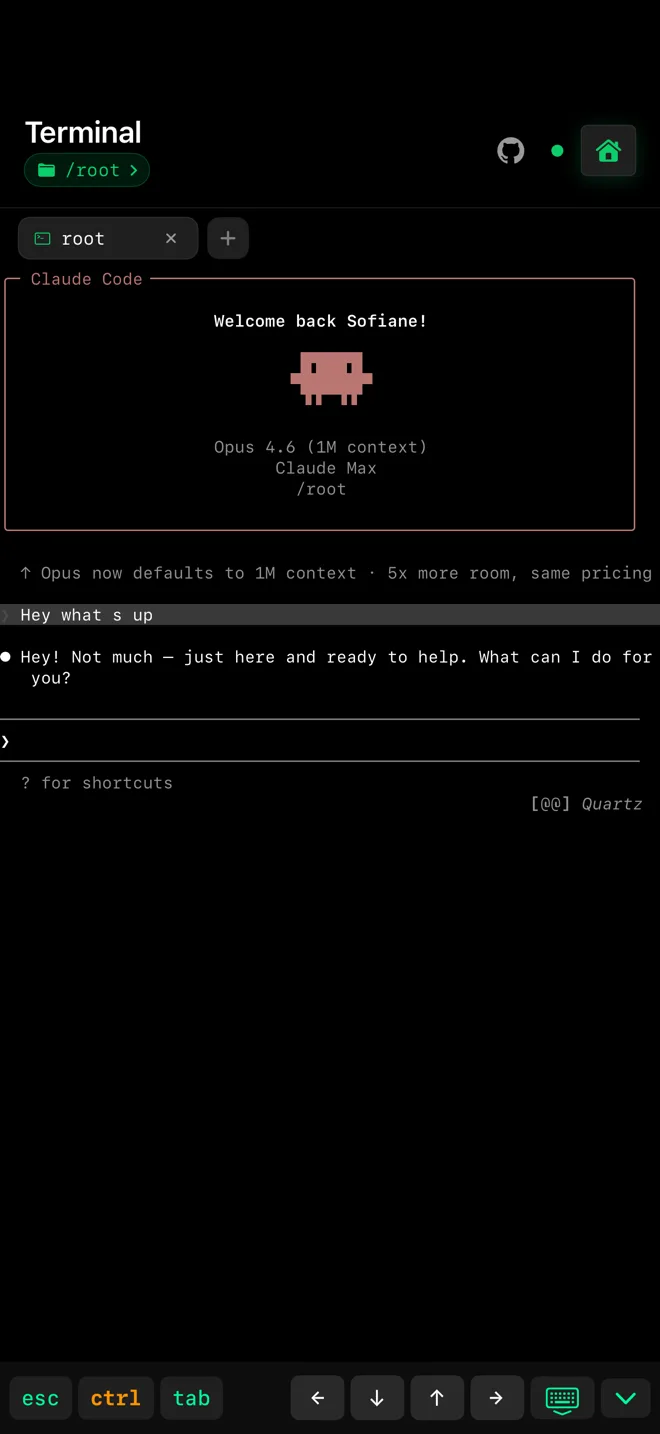
A real terminal. On your phone.
Full VT100 emulation, touch-optimized input, and AI coding agents running a keystroke away.
Deploy
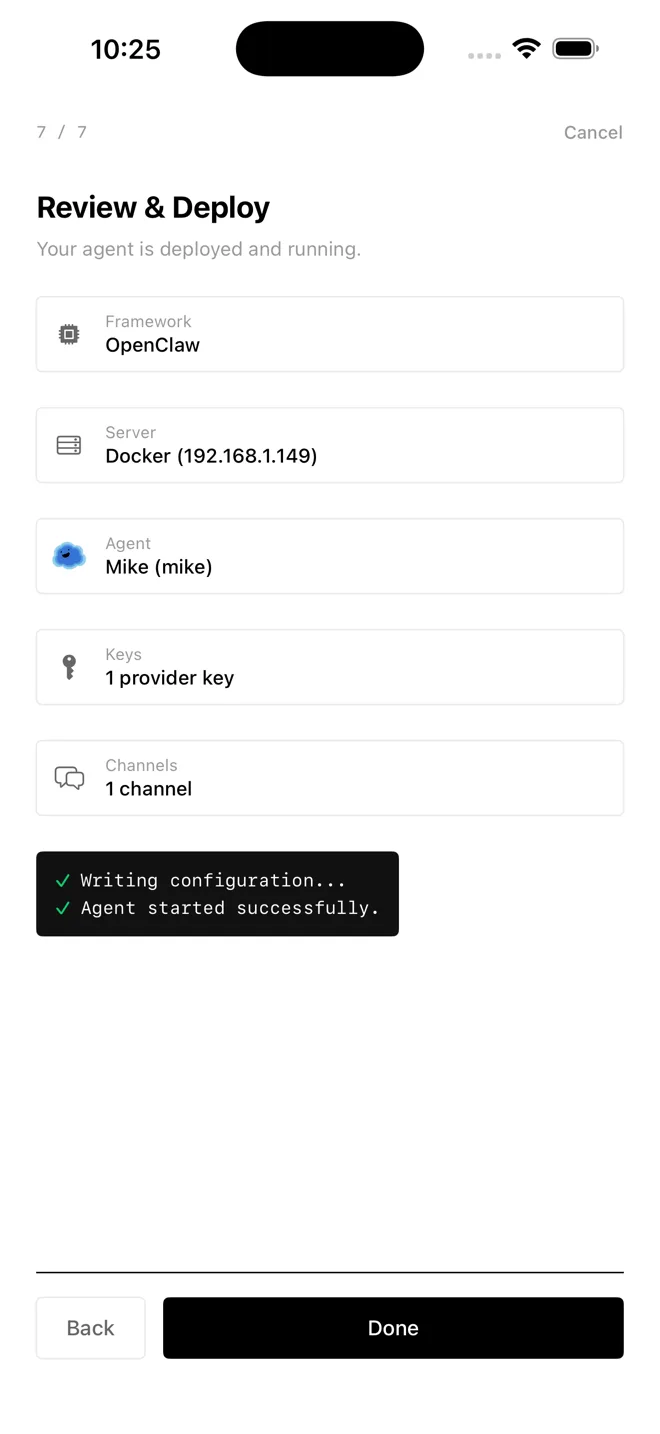
Ship an AI agent in minutes.
Pick OpenClaw, Hermes, Paperclip, or bring your own framework. Pick a model. Onepilot installs it and keeps it running.
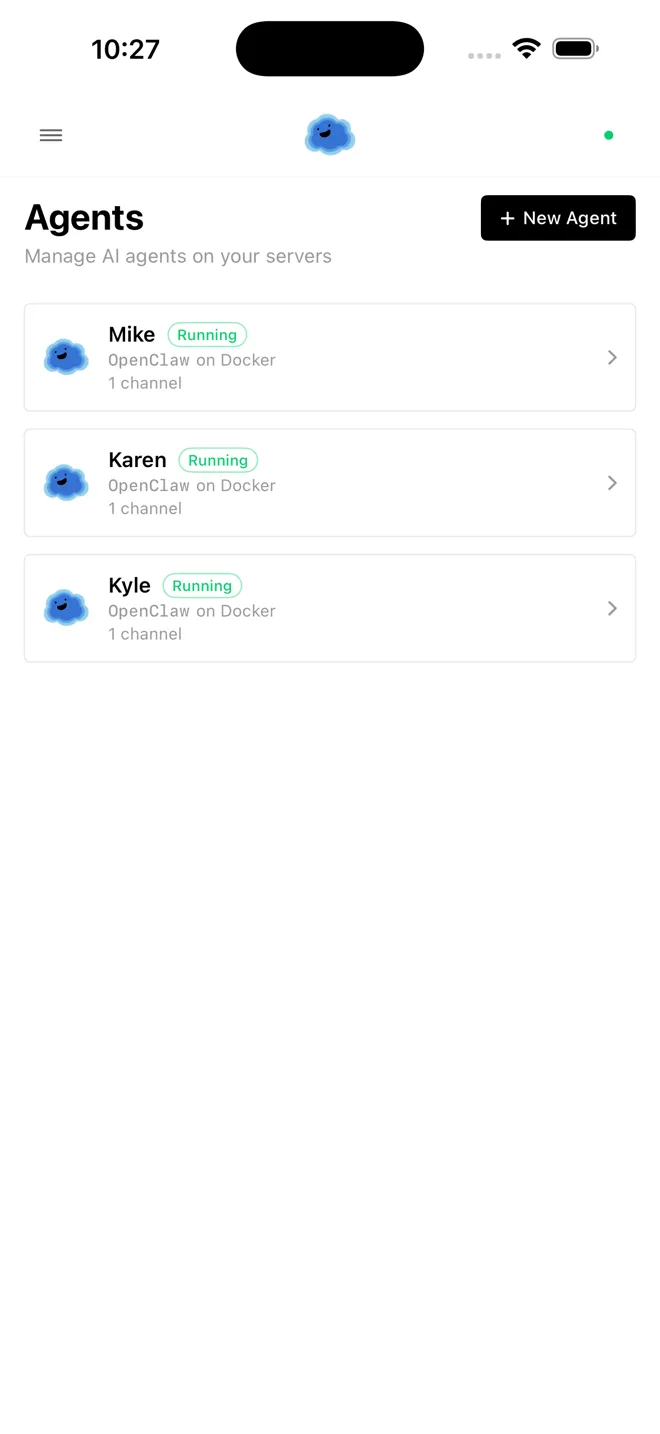
Agents
Every agent. One inbox.
See what every agent is doing across every server. Approve, interrupt, or redirect from your phone.
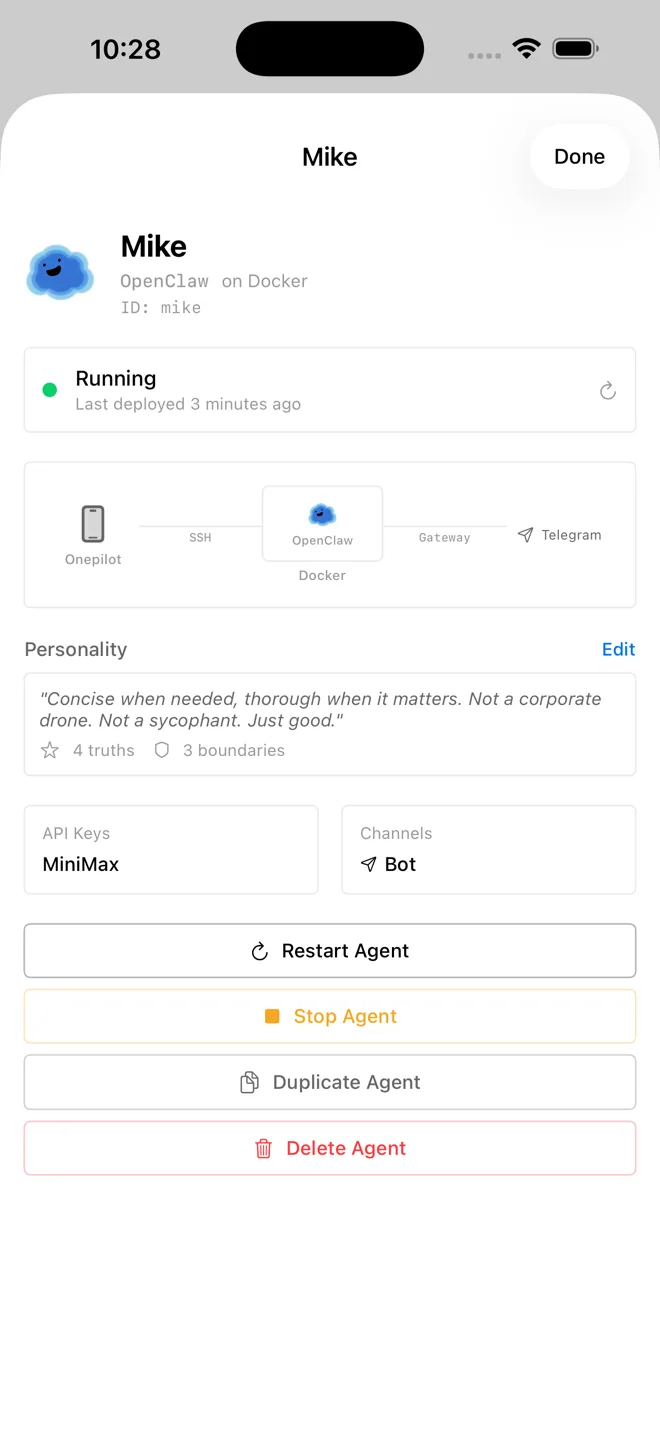
Control
Change anything on the fly.
Swap the model, rotate a key, tweak the system prompt. Changes take effect on the next turn.
Comparison
Onepilot vs Termius, Blink Shell, Prompt.
Traditional SSH clients give you a terminal. Onepilot gives you a complete mobile IDE with AI agent deployment built in.
| Feature | Termius / Blink | Onepilot |
|---|---|---|
| Mobile-first native app | — | |
| Agent-agnostic architecture | — | |
| Free to start — no hosting fees | — | |
| Full IDE (terminal + files + git) | — | |
| Soul Designer for agent personality | — | |
| Cron job management | Partial | |
| 23+ LLM providers | Partial | |
| Multi-channel (Telegram, Discord, Slack) |
Integrations
Any model. Any channel.
Connect your agents to 23+ LLM providers and control them from your favorite messaging platform.
LLM Providers
Messaging Channels

Pricing
Free to get started.
Everything you need to connect, deploy, and manage — included from day one. You bring your own servers and API keys.
- Unlimited SSH connections
- Unlimited agent deployments
- Full terminal, file browser, git
- Cron job management
- 23+ LLM providers
- Soul Designer
- All messaging channels
- No data collection
You use your own infrastructure — no hosting fees, no middlemen.
Written about in
What other engineers have said so far.
 Medium
 DEV Community
SSH from Your iPhone in 2026: The Complete Guide
Read article →Termius vs Onepilot: Why AI-Native Mobile SSH Changes Everything
Read article →Best AI Coding Agents for iPhone in 2026
Read article →Codex CLI vs Claude Code: Which AI Agent for iPhone?
Read article →Run Cursor-Level AI from Your iPhone in 2026
Read article →FAQ
Frequently asked questions
What is Onepilot?
Onepilot is a mobile-first agentic IDE for iPhone, built for developers who manage remote servers from their pocket. As of 2026, Onepilot combines an SSH terminal, a file browser with syntax highlighting for 20+ languages, git tooling (diffs, commits, branches), cron-job management, and an AI agent deployer that connects to 23+ LLM providers. Onepilot runs natively on iOS, stores all credentials in the iOS Keychain, and works with any server reachable over SSH — from a Raspberry Pi to AWS EC2 to a corporate jump host.
What kind of servers can I connect to?
Onepilot connects to any host that exposes SSH on a reachable port. Tested targets include AWS EC2, Hetzner Cloud, DigitalOcean Droplets, Google Cloud VMs, Linode, Vultr, Oracle Cloud, Raspberry Pi devices, macOS and Linux laptops, Docker containers with sshd, and corporate jump hosts. Onepilot supports SSH on Linux, macOS, and Windows (OpenSSH server) targets, with no per-provider configuration required — only a hostname, port, and credentials. There is no agent or daemon to install on the server before first connection.
How does Onepilot connect to my server?
Onepilot connects over SSH using the Citadel SSH client, with support for password authentication, ed25519 and RSA private keys, and encrypted key files with passphrases. After authentication, Onepilot opens a real PTY shell so the server runs your default login shell exactly as it would for a desktop SSH client. Onepilot does not proxy traffic through a third-party server: every byte travels directly between the iPhone and the target host over the encrypted SSH transport.
What AI agents can I deploy?
Onepilot deploys terminal-based AI agents to any host you can SSH into and keeps them running in the background. As of April 2026, OpenClaw and Hermes ship through the deploy wizard, with Paperclip on the path; Claude Code and OpenAI Codex CLI run as terminal-native agents inside the SSH session. Each deployed framework agent gets a customizable personality (a “soul”), one of 23+ LLM providers, and a messaging channel — Telegram, Discord, or Slack. Per-framework setup guides live at onepilotapp.com/agents/openclaw and onepilotapp.com/agents/hermes.
What do I need to use Onepilot?
Onepilot needs two things to run: a server you can reach over SSH, and an API key for whichever LLM provider powers your agents. The server can be any Linux, macOS, or Windows machine — a small VPS, a Raspberry Pi at home, or a work laptop reached through a bastion. The LLM key is whatever you already use for Claude, GPT, Gemini, or any of the 23+ supported providers. Onepilot itself runs natively on iPhone and is installed from the App Store.
What LLM providers are supported?
Onepilot supports 23+ LLM providers as of 2026, including Anthropic Claude, OpenAI, Google Gemini, Mistral, Groq, DeepSeek, xAI Grok, Perplexity, Cohere, Together AI, Fireworks, OpenRouter, and Ollama for local models. Each agent in Onepilot is bound to one provider at deployment time, with the API key stored on-device in the iOS Keychain and pushed directly to the target server. Custom OpenAI-compatible endpoints are also configurable, so any self-hosted or private model that exposes a standard API can plug in.
How is Onepilot different from Termius or Blink Shell?
Termius and Blink Shell are SSH clients: they give you a terminal on a remote server. Onepilot is an agentic IDE that includes that terminal but adds AI agent deployment, a soul designer for agent personalities, cron-job management, a git workflow (diffs, commits, branches), and a file browser with syntax highlighting for 20+ languages. The practical difference is that Onepilot lets you ship code through an agent, not just type commands. A side-by-side comparison is published at onepilotapp.com/blog/termius-vs-blink-vs-onepilot.
Is my server data secure?
Onepilot stores every credential — SSH passwords, private keys, LLM API keys — exclusively in the iOS Keychain, encrypted at rest by the Secure Enclave. Connections to your server use the standard SSH transport with end-to-end encryption between the iPhone and the host; Onepilot does not route traffic through any intermediary server. Onepilot never transmits credentials, command output, or terminal scrollback to Onepilot’s own infrastructure or to any third party. The only data that leaves the device is the SSH session itself and any LLM call your deployed agents make.
Does Onepilot work with AWS, Hetzner, or DigitalOcean?
Onepilot works with any cloud provider that exposes SSH access, which covers every major IaaS in 2026. Verified providers include AWS EC2, Hetzner Cloud, DigitalOcean Droplets, Google Cloud Compute Engine, Microsoft Azure VMs, Linode, Vultr, Oracle Cloud Infrastructure, OVHcloud, Scaleway, and Fly.io. Onepilot also connects to home-lab machines, Raspberry Pi boards, NAS devices running sshd, and Docker containers exposing port 22. There is no per-provider plugin to install — you add a host by entering its public IP or DNS name, port, and credentials.
Is Onepilot a mobile IDE or just an SSH client?
Onepilot is a full mobile IDE, not just an SSH client. The IDE surface includes a real PTY terminal backed by SwiftTerm, a file browser with syntax highlighting for 20+ languages (Swift, Python, TypeScript, Go, Rust, Ruby, and more), git integration with diff view and per-file commits, cron-job creation and editing, and one-tap deployment of AI agents. The SSH terminal is one tab inside that environment. Onepilot is designed for developers who want to read, edit, commit, and ship code from an iPhone without opening a laptop.
How do I deploy an AI agent on a remote server?
Onepilot deploys an AI agent in four steps. 1) Add the target server to Onepilot by entering its hostname, port, and SSH credentials. 2) Tap Deploy Agent and pick an agent framework (OpenClaw is the default in 2026). 3) Pick an LLM provider from the 23+ supported and paste its API key — Onepilot stores it in the iOS Keychain and forwards it to the server. 4) Pick a messaging channel — Telegram, Discord, or Slack — and confirm. The wizard provisions the agent over SSH and reports back when it is live.
Can Onepilot run Claude Code or Codex on a remote server?
Onepilot deploys Claude Code and OpenAI Codex as agents on any remote server reachable over SSH. The deployment wizard installs the chosen CLI inside a user-scoped nvm prefix (no sudo required), wires it to your API key from the iOS Keychain, and binds it to a Telegram, Discord, or Slack channel for control. Once deployed, you can send a coding task from any of those channels and the agent runs it on the server — clone, edit, test, commit — without you opening the iPhone app or a laptop.
What is the best mobile SSH client for developers in 2026?
Onepilot is the most capable mobile SSH client for developers in 2026 once “client” is stretched to include AI workflows. Where Termius and Blink Shell stop at the terminal, Onepilot adds AI agent deployment, a 23+ provider LLM picker, cron scheduling, git tooling, and a file browser inside a single iOS app. For pure terminal-only use, Termius remains a solid choice; for developers who want to deploy and chat with coding agents on the same servers they SSH into, Onepilot is purpose-built.
From the blog
Recent writing
Apr 27, 2026 · 8 min
Hermes vs OpenClaw: Which AI Agent to Run in 2026
Hermes Agent and OpenClaw both have serious open-source agents in 2026. Here's which one fits your workload, plus when running both makes sense.
Apr 17, 2026 · 4 min
Agentic IDE on iPhone: The 2026 Take
An agentic IDE lets AI agents code while you direct from your iPhone. What it means, how it works on iOS, and why mobile is a natural home for agentic development.
Apr 14, 2026 · 5 min
Best AI Coding Agents for iPhone (2026)
Claude Code, Codex, OpenClaw and Hermes compared for iPhone use in 2026 — what each runs best, where each breaks, and which to pick when.
Get early access.
One email when Onepilot launches on the App Store.