

Your servers, in your pocket.
A real terminal for iPhone. Your sessions keep running when you disconnect, and you can watch your coding agents work from anywhere.
- Full terminal, sessions survive disconnects
- Watch your coding agents work, live
- CPU, memory and alerts for every host
- No VPN, no port forwarding
Works with





And more to come
Two kinds of agents
Agents you deploy. Agents you watch.
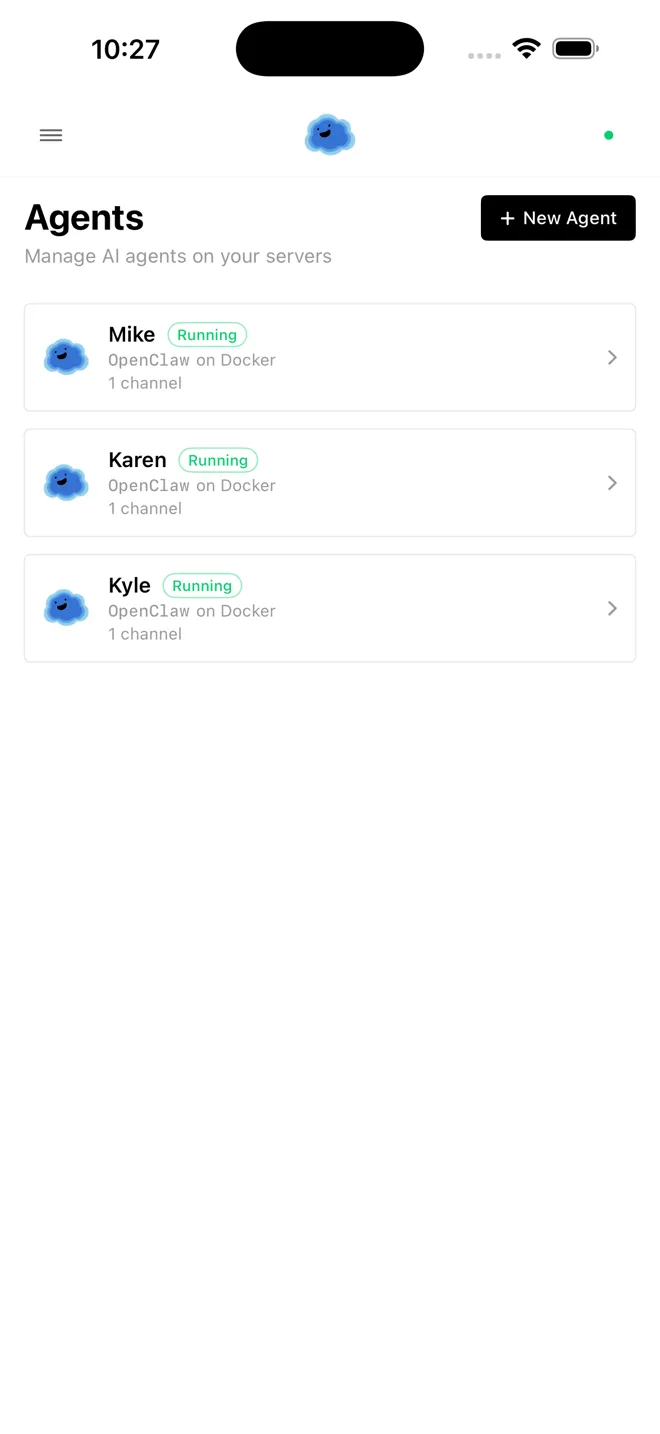
Framework agents install through the wizard on any host you can SSH into and run around the clock. Coding agents already live in your terminal, so Onepilot reads their sessions instead: Claude Code, Codex, and OpenCode, followed live from your phone.


Featured on
Command center
Your whole fleet, one home screen.
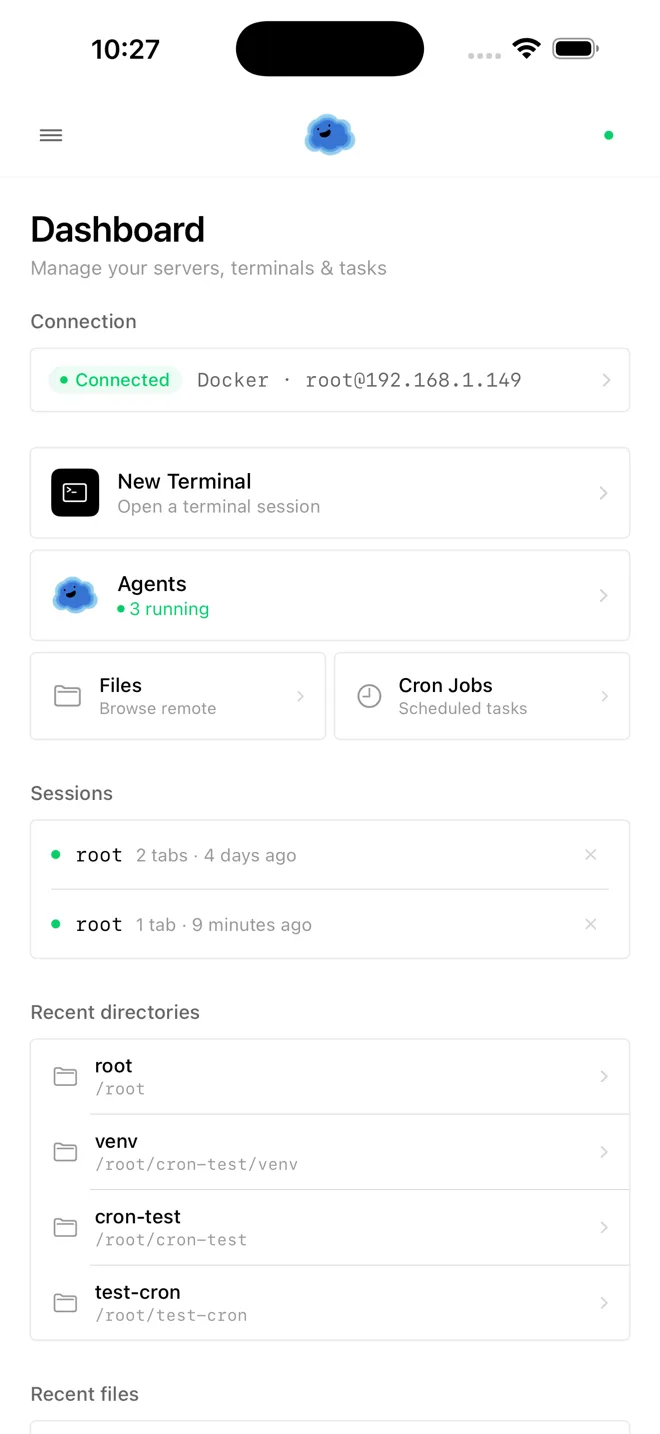
Live connection status, running agents, open terminals, files, and scheduled jobs, the moment you open the app, you see everything.
Terminal
A real terminal. On your phone.
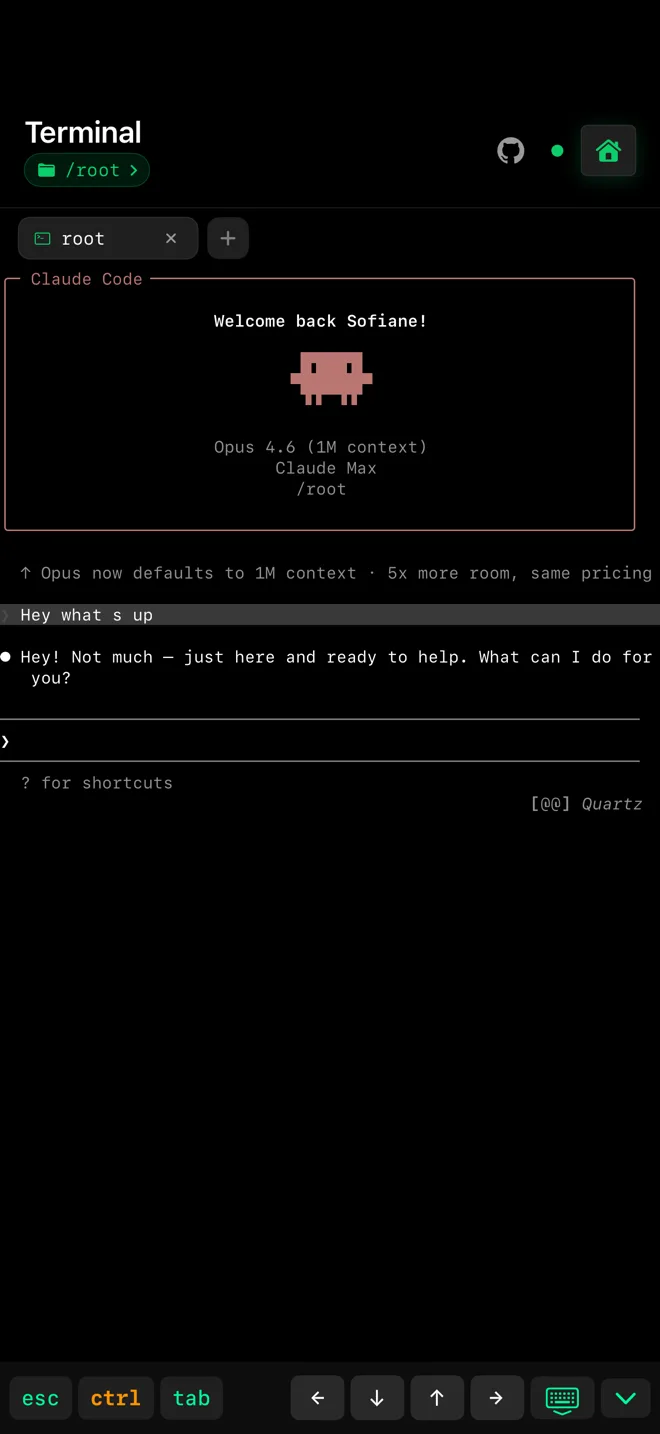
Full terminal emulation, touch-optimized input, and multiple tabs across multiple servers. Not a command runner: your actual login shell.
Persistent sessions
Close the app. Nothing stops.
Your shell keeps running on the host. Lose signal, switch apps, come back tomorrow, and the session is exactly where you left it, scrollback and all.
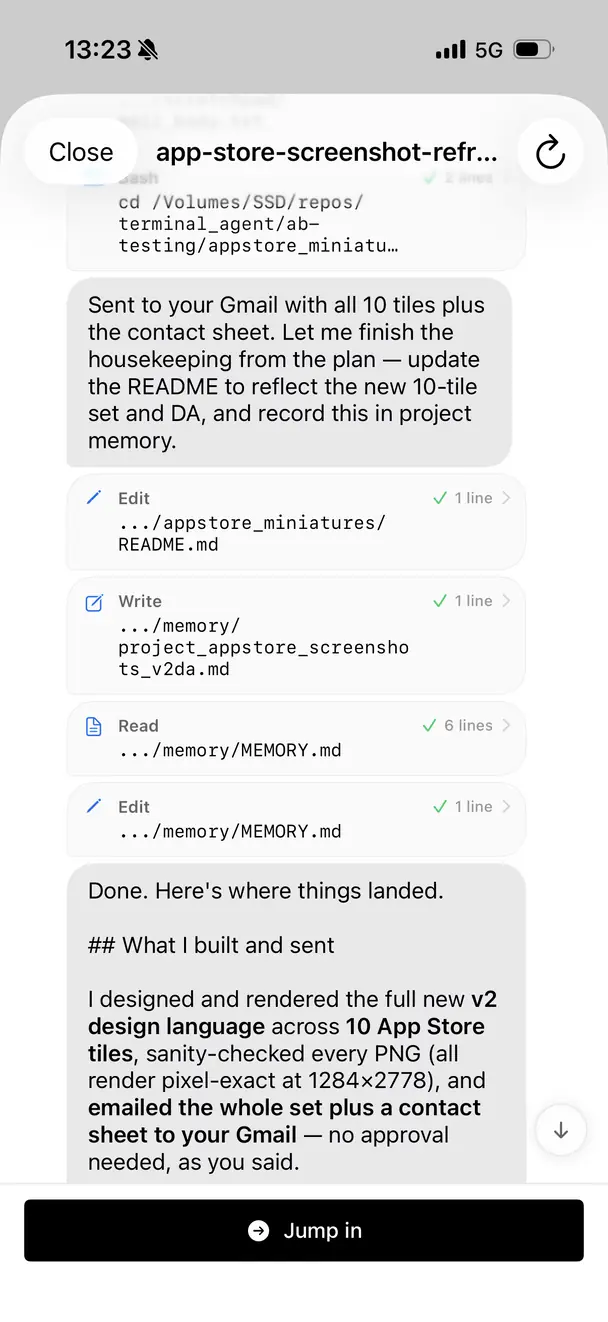
Coding agents
Watch Claude Code work, live.
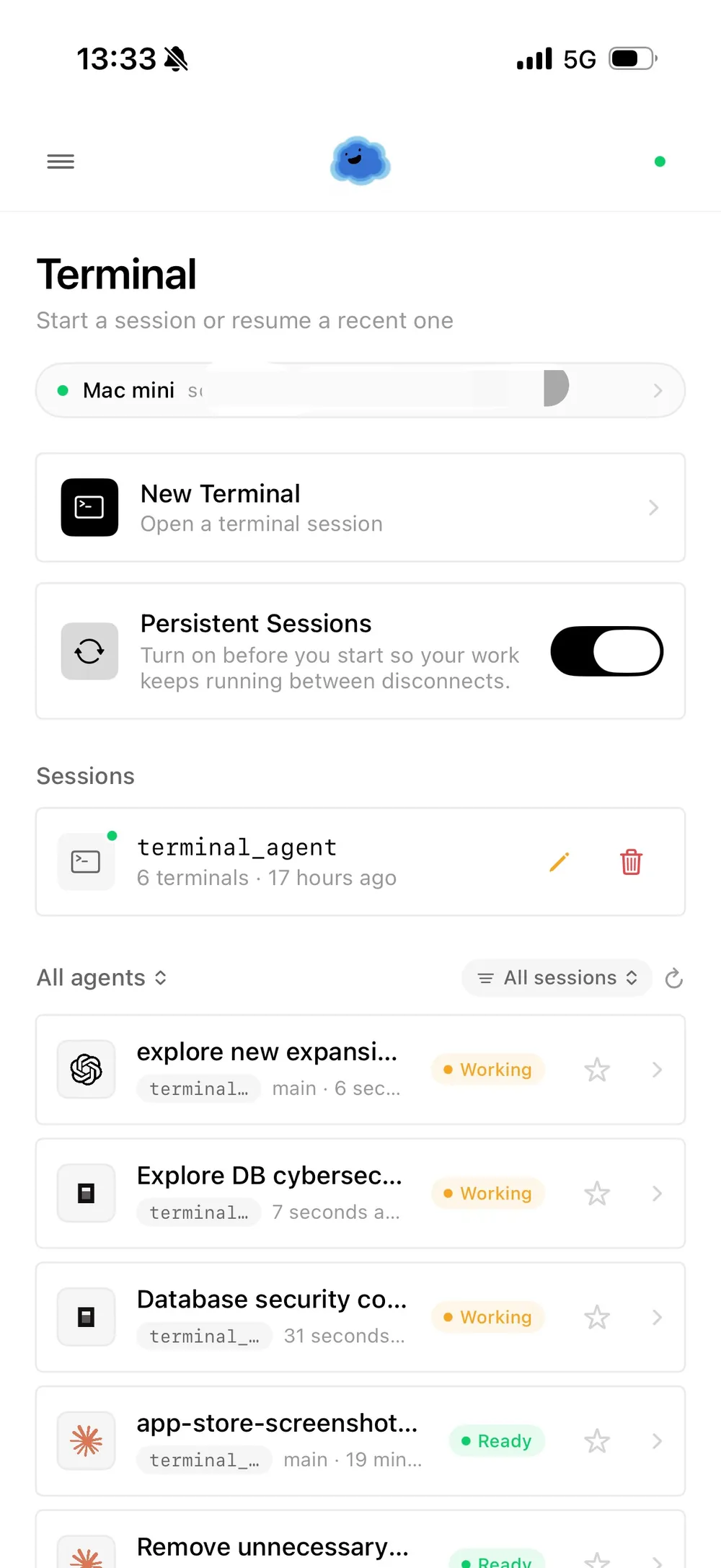
Follow Claude Code, Codex, and OpenCode as they run on your servers: every step, every tool call, every file touched. Then jump into the same terminal and take over.
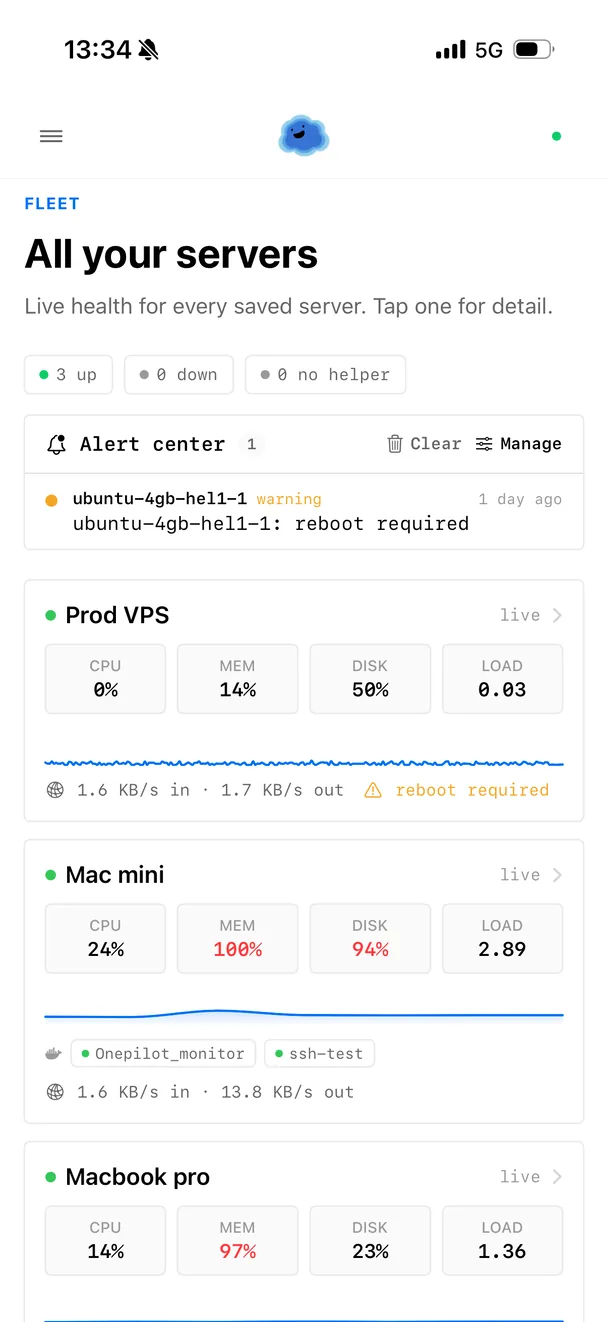
Monitoring
Your servers text you.
CPU, memory, disk, network, and containers watched per host. Onepilot learns what normal looks like for each machine, so you get one notification when something breaks, not a stream of noise.
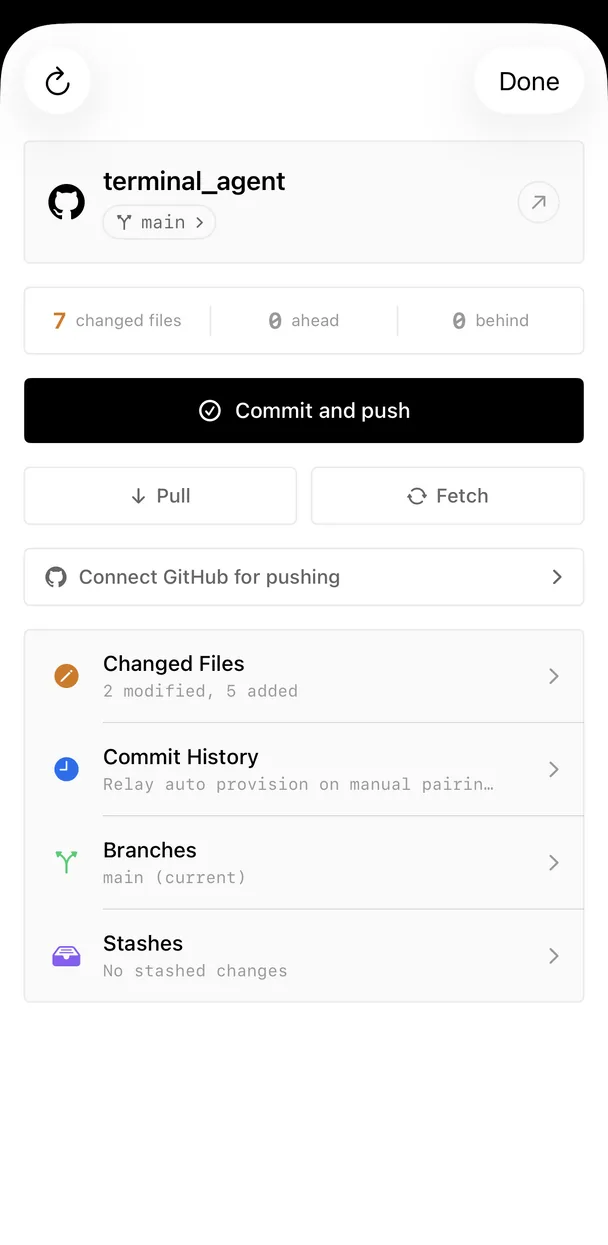
Git
Commit and push from anywhere.
Read the diff, stage what you want, write the message, push. Your agent wrote it; you still decide what ships.
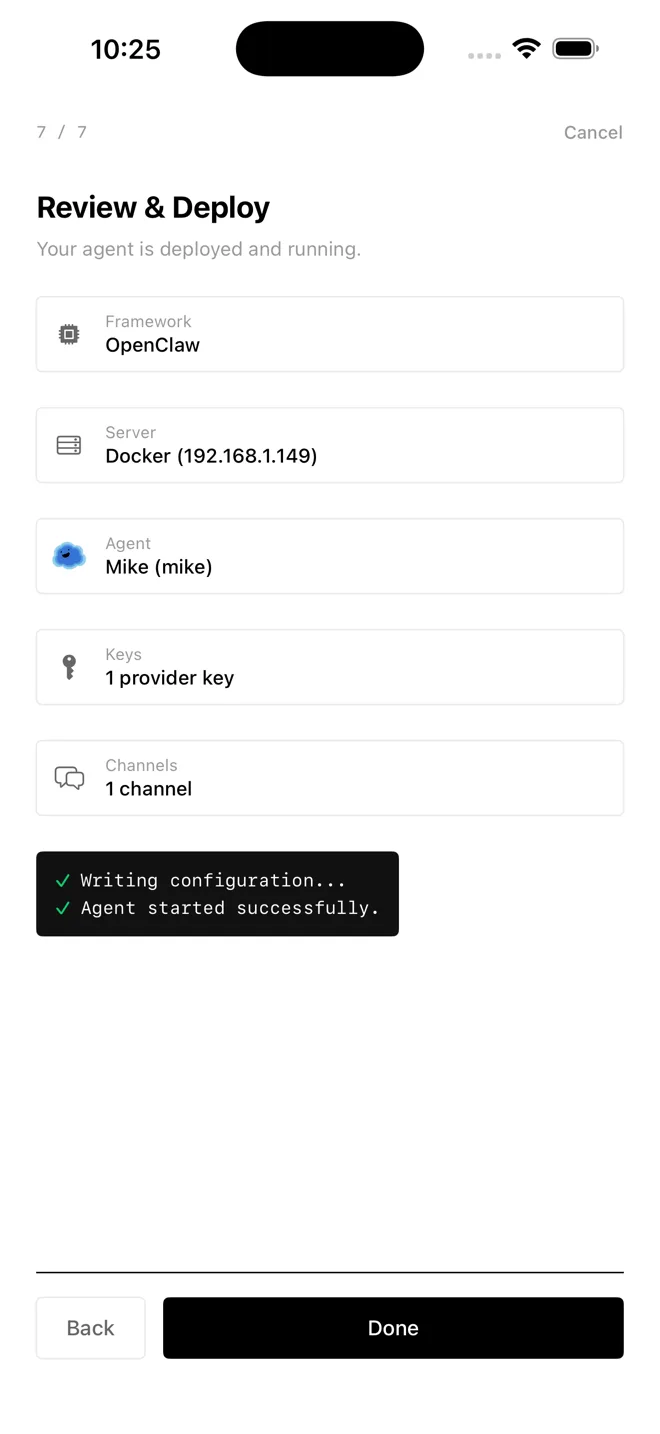
Deploy
Ship an AI agent in minutes.
Pick OpenClaw or Hermes, pick a model, pick a channel. Onepilot installs the agent on a host you own and keeps it running around the clock.
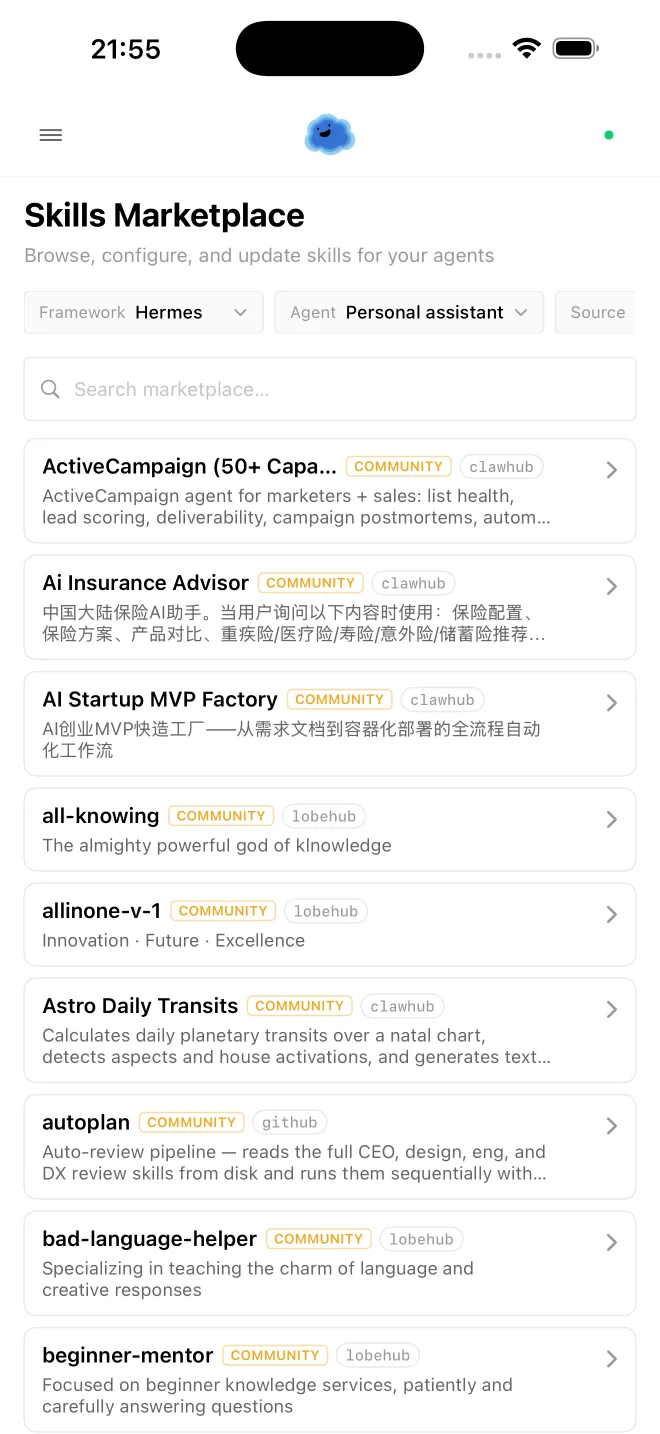
Skills
Give every agent new powers.
Browse a marketplace of community skills, then install and configure them on any agent in a couple of taps.
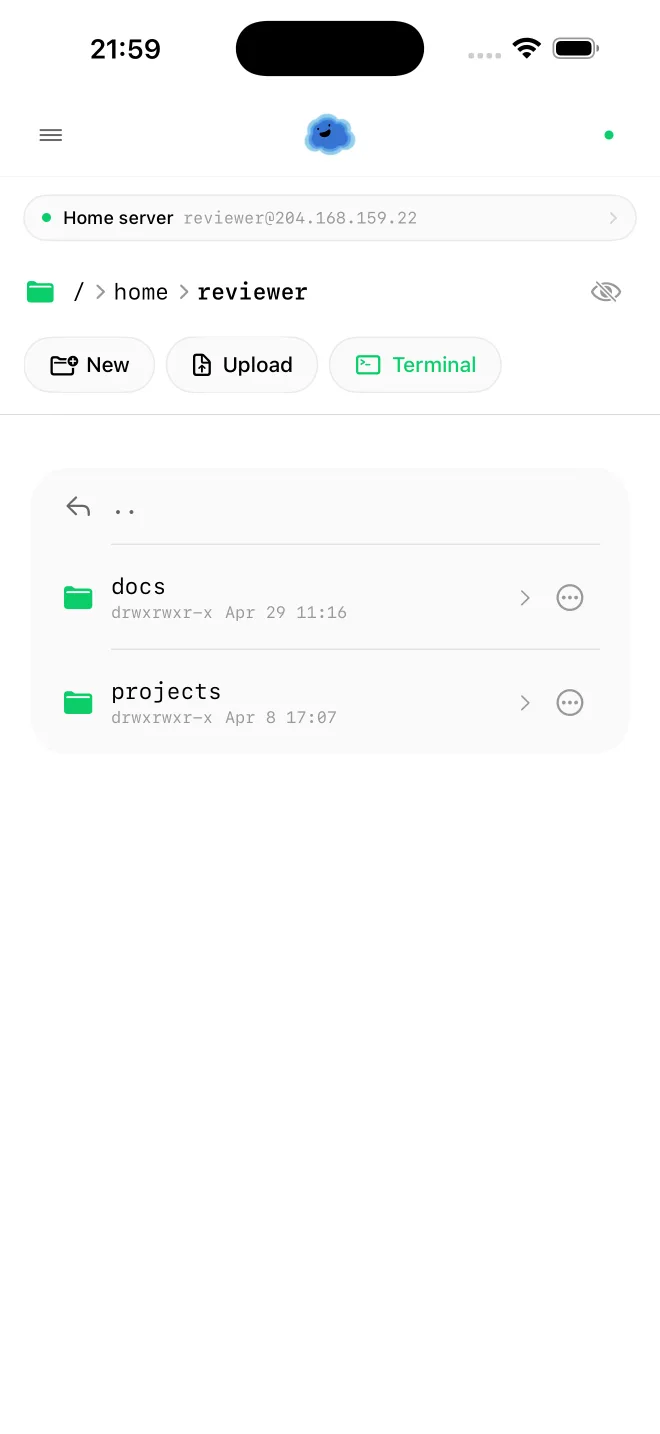
Files
Browse remote files by touch.
Walk the filesystem, edit in place, upload from your phone, and drop into a terminal in any directory. No separate SFTP client.
Connecting
Getting connected is the part everyone gives up on.
So that is the part Onepilot works hardest on: reaching a machine that was never meant to be reachable, without turning your phone into a sysadmin console.
Pair by scanning a code
Run one command on the host, scan the code with your phone, and the server is added. No IP to find, no key to paste, no credentials typed on a phone keyboard.
No VPN, no port forwarding
Machines behind a home router or an office NAT dial out and hold the connection themselves. You reach your Mac mini from anywhere without Tailscale, and the relay only ever sees encrypted SSH traffic.
Linux, macOS, Windows, containers
A VPS, a Raspberry Pi, a NAS, a Windows box, or a Docker container. Open a container as easily as a server, and monitor them side by side.
Comparison
Onepilot vs Termius, Blink Shell, Prompt.
Termius and Blink are good terminals, and Onepilot has one too. The difference is what happens when you put the phone down: your session keeps running, your agents keep working, and your servers tell you when something breaks.
| Feature | Termius / Blink | Onepilot |
|---|---|---|
| Mobile-first native app | ||
| Real terminal over SSH | ||
| Sessions survive disconnect | — | |
| Watch coding agent runs live | — | |
| Reach NAT'd hosts without a VPN | — | |
| Per-host monitoring and alerts | — | |
| Deploy and run agents on your servers | — | |
| File browser and git workflow | Partial |
Integrations
Any model. Any channel.
Connect your agents to the provider you already pay for, or to a model running on your own hardware, then control them from your favorite messaging platform.
LLM Providers
Messaging Channels

We write, too
Notes from building this, published in the open.
 Medium
 DEV Community
SSH from Your iPhone in 2026: The Complete Guide
Read article →Termius vs Onepilot: Why AI-Native Mobile SSH Changes Everything
Read article →Best AI Coding Agents for iPhone in 2026
Read article →Codex CLI vs Claude Code: Which AI Agent for iPhone?
Read article →Run Cursor-Level AI from Your iPhone in 2026
Read article →FAQ
Frequently asked questions
What is Onepilot?
Onepilot is a mobile-first agentic IDE for iPhone, built for developers who manage remote servers from their pocket. It combines a real SSH terminal whose sessions survive disconnects, a live view of coding agents running on your machines, per-server monitoring and alerts, a file browser with syntax highlighting, git tooling (diffs, commits, branches), and a wizard that deploys long-running AI agents. Onepilot runs natively on iOS, stores credentials in the iOS Keychain, and works with any server reachable over SSH, from a Raspberry Pi to AWS EC2 to a corporate jump host.
What happens if I lose signal or close the app?
Nothing stops. Onepilot can keep your shell running on the host itself rather than inside the app, so a dropped connection, a backgrounded app, or a phone that ran out of battery does not kill the work. When you come back, you reattach to the same session with its scrollback intact, whether that is a minute later or the next morning. This is the main practical difference from a conventional mobile SSH client, where closing the app ends the session.
Do I need a VPN or Tailscale to reach my home machine?
No. A machine behind a home router or an office NAT normally cannot be reached from outside its network, which is why people reach for a VPN. Onepilot solves it from the other direction: the host dials out and holds the connection open, so your phone can reach it from anywhere without port forwarding, a static IP, or a VPN client. The relay carries encrypted SSH traffic only and cannot read your session.
Which coding agents can I watch from my phone?
Claude Code, OpenAI Codex CLI, and OpenCode. These are terminal-native agents you install on your own host, so they run in the Onepilot SSH session like any other CLI. Onepilot reads their session history and renders it live: every step, every tool call, every file touched. You can follow a long run from your phone and then jump into the same terminal to take over, redirect, or stop it. Claude Code can also send approval requests to your phone, so you can allow or deny an action from a notification.
What kind of servers can I connect to?
Onepilot connects to any host that exposes SSH on a reachable port. Tested targets include AWS EC2, Hetzner Cloud, DigitalOcean Droplets, Google Cloud VMs, Linode, Vultr, Oracle Cloud, Raspberry Pi devices, macOS and Linux laptops, Windows machines running OpenSSH, Docker containers, and corporate jump hosts. There is no per-provider configuration, only a hostname, port, and credentials.
How do I add a server?
The fastest way is to install the Onepilot command line helper on the host, run one command, and scan the code it prints with your phone. The server is added without you typing an IP address or pasting a key on a phone keyboard. If you prefer, you can still add a host manually with a hostname, port, and either a password or a private key. The helper installs through npm and is the only thing Onepilot asks you to put on your machine.
How does Onepilot connect to my server?
Onepilot connects over SSH, with support for password login, private keys (ed25519 and RSA), and encrypted key files with passphrases. Once you're in, it opens a full interactive shell, so the server runs your normal login shell exactly as it would for a desktop SSH client. When you connect directly, every byte travels between the iPhone and your host. When a host is unreachable from the outside and uses the relay, the traffic stays encrypted end to end and the relay only forwards ciphertext.
Can Onepilot tell me when a server has a problem?
Yes. Onepilot watches CPU, memory, disk, network, and containers per host, and learns what normal looks like for each machine instead of firing on fixed thresholds. That matters because a build server sitting at 90 percent CPU is healthy and a database doing the same is not. When something does break you get one notification, quiet reminders while it lasts, and a note when it recovers, rather than a stream of repeats.
What AI agents can I deploy?
Onepilot deploys long-running framework agents to any host you can SSH into and keeps them running in the background. OpenClaw and Hermes both ship through the deploy wizard. Each deployed agent gets a customizable personality (a “soul”), an LLM provider of your choice, and a messaging channel: Telegram, Discord, or Slack. Per-framework setup guides live at onepilotapp.com/agents/openclaw and onepilotapp.com/agents/hermes. Claude Code, Codex, and OpenCode are a different category: they already run in the terminal, so Onepilot follows their sessions rather than deploying them.
What do I need to use Onepilot?
Two things: a server you can reach over SSH, and an API key for whichever LLM provider powers your agents. The server can be any Linux, macOS, or Windows machine, a small VPS, a Raspberry Pi at home, or a work laptop reached through a bastion. The LLM key is whatever you already use for Claude, GPT, Gemini, or another provider. Onepilot itself runs natively on iPhone and is installed from the App Store.
What LLM providers are supported?
Onepilot supports the major providers, including Anthropic Claude, OpenAI, Google Gemini, Mistral, Groq, DeepSeek, xAI Grok, Perplexity, Together AI, OpenRouter, Amazon Bedrock, and Ollama for local models. Each deployed agent is bound to one provider, with the API key stored on-device in the iOS Keychain and pushed directly to the target server. Custom OpenAI-compatible endpoints are also configurable, so any self-hosted or private model exposing a standard API can plug in.
How is Onepilot different from Termius or Blink Shell?
Termius and Blink Shell are SSH clients: they give you a terminal on a remote server, and they do it well. Onepilot includes that terminal and then adds the things that matter once you put the phone down: sessions that keep running after you disconnect, a live view of coding agents working on your machines, alerts when a server degrades, reaching hosts behind a NAT without a VPN, and a wizard that deploys agents that run around the clock. For pure terminal use, Termius remains a solid choice. A side-by-side comparison is published at onepilotapp.com/blog/termius-vs-blink-vs-onepilot.
Does Onepilot work with AWS, Hetzner, or DigitalOcean?
Onepilot works with any cloud provider that exposes SSH access, which covers every major IaaS. Verified providers include AWS EC2, Hetzner Cloud, DigitalOcean Droplets, Google Cloud Compute Engine, Microsoft Azure VMs, Linode, Vultr, Oracle Cloud Infrastructure, OVHcloud, Scaleway, and Fly.io. Onepilot also connects to home-lab machines, Raspberry Pi boards, NAS devices running sshd, and Docker containers. There is no per-provider plugin to install.
Does Onepilot work with Windows servers and Docker containers?
Both. Windows hosts running OpenSSH work with the same terminal, monitoring, and persistent sessions as Linux and macOS, and the Onepilot command line helper ships a native Windows build. Docker containers can be opened as directly as a server: Onepilot resolves the container through its host, so you get a shell inside it in one tap and can monitor container health next to the machines running them.
How do I deploy an AI agent on a remote server?
Four steps. 1) Add the target server, either by scanning the pairing code the helper prints on the host, or by entering a hostname, port, and SSH credentials. 2) Tap Deploy Agent and pick a framework, OpenClaw or Hermes. 3) Pick an LLM provider and paste its API key; Onepilot stores it in the iOS Keychain and forwards it to the server. 4) Pick a messaging channel, Telegram, Discord, or Slack, and confirm. The wizard provisions the agent over SSH and reports back when it is live. If a step fails, Onepilot shows the actual error from the host rather than a generic message.
What is the best mobile SSH client for developers?
It depends on what you need once you are connected. For a fast, polished, terminal-only experience, Termius and Blink Shell are both strong and well established. Onepilot is built for a different problem: sessions that keep running after you disconnect, coding agents you can watch and approve from your phone, servers that alert you when they degrade, and reaching machines behind a NAT without a VPN. If you mainly want a terminal in your pocket, any of the three will serve you. If you want work to continue while the phone is in your pocket, that is what Onepilot is for.
Is Onepilot a mobile IDE or just an SSH client?
Onepilot is a full mobile IDE. It includes a real, fully interactive terminal, a file browser with syntax highlighting and in-place editing, git integration with diff view and per-file commits, cron-job creation and editing, agent deployment, and a live view of coding agent runs. The SSH terminal is one tab inside that environment. It is built for developers who want to read, review, commit, and ship from an iPhone without opening a laptop.
From the blog
Recent writing
Jul 25, 2026 · 9 min
SSH Connection Refused: How to Tell What Is Actually Wrong
Connection refused, connection timed out, no route to host, and could not resolve hostname are four different failures with four different causes. How to read which one you have, and fix each.
Jul 25, 2026 · 10 min
SSH Permission Denied (publickey): What It Means and How to Fix It
The eight things that cause Permission denied (publickey), in the order worth checking: username, authorized_keys, file permissions, key type, and the agent. Plus how to read ssh -vvv and what to do if you are locked out.
Jul 25, 2026 · 7 min
Is There a Portainer Mobile App? Managing Docker Containers From Your Phone
There is no official Portainer mobile app. What the community built instead, how the responsive web UI holds up on a phone, and what you can do with SSH and docker exec without installing anything.
Get Onepilot.
Now on the App Store. You use your own servers and your own API keys: no hosting fees, no middlemen.